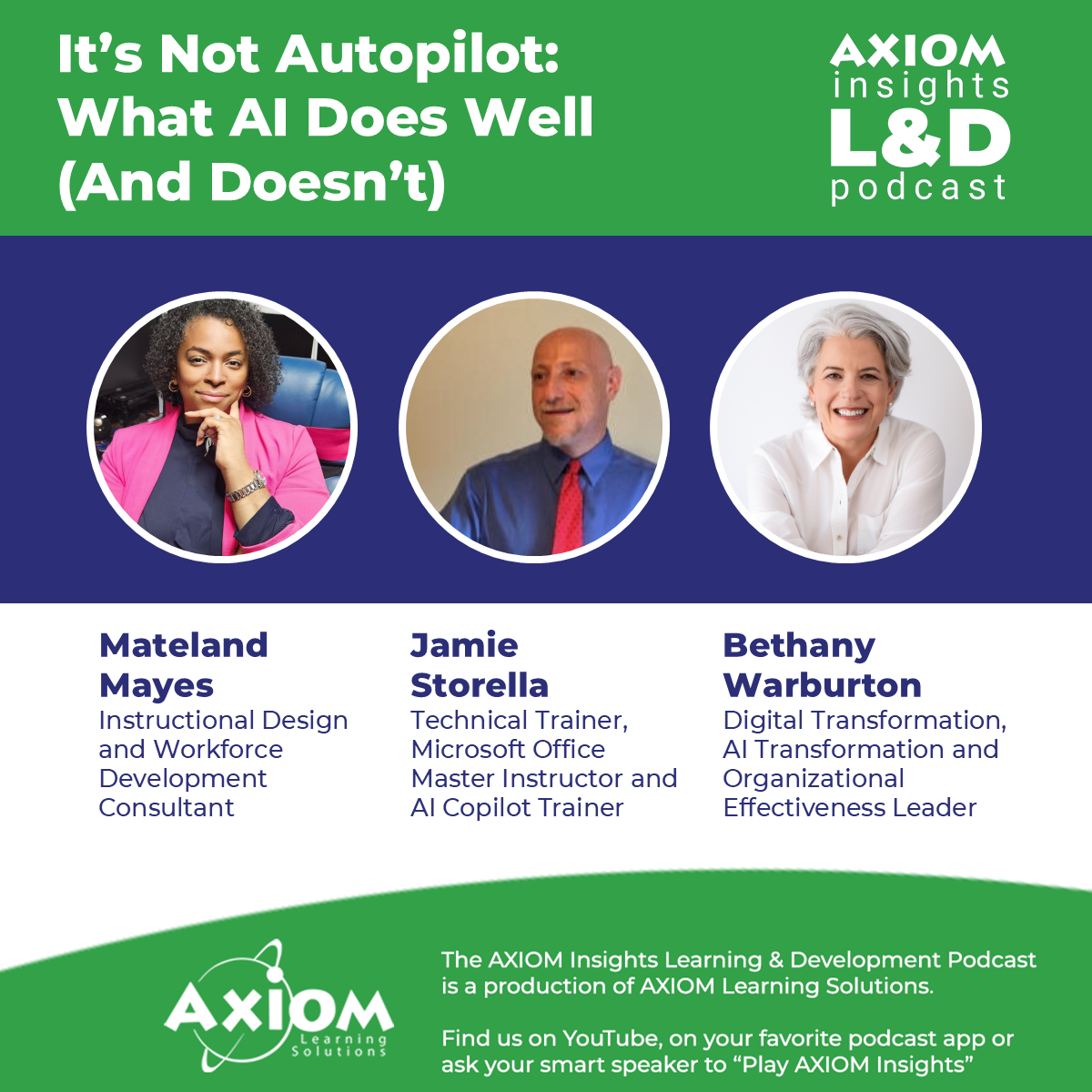
[00:00:06] Speaker A: Hello and welcome to the AXIOM Insights Learning and Development Podcast. I'm Scott Rutherford. This podcast series focuses on driving performance through learning. And today we're focusing on a hands on, practical look at AI through with three experts, each of whom brings their particular experience and expertise with the use of AI. And this is going to be, I think, a very hands on, practical conversation.
And so with that, it's really my pleasure. I'm joined by Jamie Stirrella, Madeline Mays, and Bethany Warburton. And I'll let each of them introduce themselves very briefly. Madeline, why don't we start with you.
[00:00:44] Speaker B: Hi, I'm Madeline Mays. I run an instructional design workforce development consultancy and over the past year or so I've been deliberately integrating AI into my workflow and not just using it for one off task, so using it for analysis, development and quality control.
Also, I treat it like a working partner and as a tool that I trust. So this is me.
[00:01:11] Speaker A: Okay, thanks, Madeline. Hey Jamie, I'll let you jump in next.
[00:01:15] Speaker C: Thanks. My name is Jamie Storello. I'm the owner of Launch, a computer training and consulting firm in the Boston area. I'm a Microsoft Office master instructor. I teach over 50 computer classes, including Microsoft's AI Assistant Copilot.
[00:01:30] Speaker A: Okay, and we'll be talking about Copilot some length during this episode for sure. And Bethany, let you introduce yourself as well.
[00:01:38] Speaker D: Hey, I'm Bethany Warburton. I'm a senior IT Project Manager at Brown University.
I wouldn't call myself an AI expert, although I think mostly because I work with real experts.
I am highly fluent and well practiced in implementing AI into enterprise operations. And in the four years I've been at Brown over the past year, working to pilot AI in our own administrative operations.
So nice to be here.
[00:02:12] Speaker A: Thanks to all three of you for making the time for this. I think it'll be a really useful discussion. My goal here is to help the folks who are listening and watching just take tidbits that they can use and integrate into their own practices in any one of the million directions that could be.
So wanted to start the conversation with really a look at how everyday AI looks and how it's being used today.
I think that Jamie, you mentioned Copilot and Copilot, of course, being integrated into the Microsoft world, the Microsoft 365 system, there might be a good way to start to say, okay, well, you know, let's look at the tool that a lot of people are already going to have.
You know what, what do people get excited about and how is COPILOT being used well, and how are you using it?
[00:03:10] Speaker C: Well, sure.
So you're absolutely right that Copilot is integrated into a lot of Microsoft Office 365 apps, approximately 15 major apps, and it can be connected to so many other different products as well.
It's not a model itself, believe it or not. It's actually more like a browser of models. It uses models from OpenAI and Anthropic, but you can choose from different versions of ChatGPT and Claude. And if you want to, you can actually install over 1800 other models using something called Copilot Studio.
I find that my students get most excited about how it's used in Excel and Outlook and Teams and Edge. Those are the big ones. Of course, every audience is a little bit different.
I think that in Excel, it's really good at summarizing and analyzing large data sets. So just imagine that you have a database that's customer feedback about your bag. Well, you could ask it to summarize that content, even if there are hundreds of thousands of records. And because AI is iterative, it means you can keep asking question after question.
Therefore, you could say, well, now I want you to break everything down into the positive comments, the mixed comments, and the negative comments. And you can even get it to label them on your database.
If you notice, for example, that maybe Emma Billings is mentioned in one of them, you could ask it which messages mention Emma Billings and get them all grouped together in one grouping.
If you're looking to to create solutions, actionable items, you could ask something like, how do our customers feel about our ATMs? And then when you learn about it now, you can make decisions. They're going to make your bank more comfortable and appealing to people.
I do find that from time to time you could get incorrect or questionable analysis. And what I hear sometimes from students is I spend as much time validating the answer as I would analyzing the spreadsheet myself.
Now, I think this brings up a really important concept here, and that is that Copilot is not intended to do your work. It's intended to be an assistant.
Just like on a plane, there's a pilot and a co pilot.
The copilot assists the pilot, and AI should be your assistant.
Now, you wouldn't trust a really smart admin on their first day without checking their work. It's the same thing with AI. You have to check the output you get.
I find it very useful for creating pivot tables and pivot charts, as well as just other charts.
It's helpful if you show IT data to ask it what chart type do you suggest I use for this data? And then perhaps it might suggest something like a line chart for data that has dates, because it's very good at showing changes over time.
Also, you can get it to create the charts for you. So you could ask it to create a histogram for you or a box and whisker chart and it will just do it. And I think most users are not well versed in creating unusual kinds of charts, but hey, AI just does it for you and doesn't miss a beat.
The other thing I found is creating dashboards with it is very, very useful.
You could ask it to analyze the data and create a dashboard that has key performance indicators.
The dashboard is really pretty cool.
You could go the next level and say, create a visually appealing HTML dashboard.
What it does is amazing.
It produces all the code you need to copy and paste into a notepad file and then change that file extension to HTML.
The dashboards it produces are beautiful. The graphics look absolutely professional.
People are using AI to create and understand functions in Excel as well.
So if you're not great at lookups, you could just say, create an xlookup that finds the following. It will do it for you. Or if you have an existing spreadsheet and there's a function in cell B10 that you don't understand, you could ask it to explain the function to you. And what I like about that is it explains how the function works in general, but then it also explains how the function is working specifically in that cell.
So it educates you and it also makes you more comfortable with working with somebody else's spreadsheet.
Now, I don't want to sugarcoat things, so I always want to let you know the good and the bad and the ugly of things.
One is it's it does have some difficulty with complex nested formulas.
And some people say that the generic formula suggestions might not calculate exactly what you need. But once again, that just means we are always checking our work.
Its ability to clean data is staggering.
So first of all, when you open up a file and it has data that it thinks is dirty, it tells you that and asks if you want to go look at can fix spelling and duplicates and inconsistent formatting. It can trim extra spaces out for you or standardized dates.
It can identify outliers or suspicious values.
Now, once again, if you're cleaning data, it might find something that looks inconsistent and change it, but not really be inconsistent. If your database has a list of cities and Medford is mentioned over and over again. But one or two times it mentions Bedford.
It just might think that, oh, that's a mistype, it should be Medford again and change it sometimes it converts ID numbers into dates.
It could remove rows that aren't actually duplicates.
So one important thing to know about Copilot is that there are three different modes that you can use when you're asking it for things.
In one it just makes changes you ask. So for example, if you asked it to clean your data, it just changes it to what it thinks is clean data.
Another one shows you oh, but I should mention, by the way, you can undo that change or you can accept that change.
Another option shows you what changes it will make, but you have to push a button that says go make those changes. And then there's a third mode where it just tells you what needs to be changed and it leaves it up to you to make the changes. So it's not something to be afraid of.
[00:10:07] Speaker A: And using it as that workflow support tool is a way that many tools. I mean, I know Copilot is one environment that works really well natively with Microsoft, but there are others, whether you and everyone I think at this point has their favorites.
GPT was of course an early leader, but then people I think started in some ways to see limitations of that and migrated to Claude or Gemini and that sort of thing.
So Bethany, I'll throw it to you. How have you seen in terms of supporting the everyday practical workflow, what works for you?
[00:10:45] Speaker B: Well, yeah,
[00:10:49] Speaker D: I mean really simple applications for me, for me in my professional life. And I'm not here representing Brown per se, but I do work at Brown and things like as a project manager, I'm able to take the transcript of meetings, pull them into Gemini and have it produce action items, summaries that I can quickly get out to people. Now that has native functionality in something like Zoom that we use, but I actually prefer what Gemini is able to do.
And at Brown we have Gemini as our level three secure option. So it's preferred that we use Gemini.
But I would say those are some of the applications.
Recently I took over a project that had a history of about four years worth of development work and I was able to compile all of the notes and any of the meeting transcripts that did exist, put them into a notebook LM and start quizzing the notebook about what happened, what the history was.
I also had another work stream that I had to go in and sort of pull together a root cause of some misunderstanding and I was able to look at all the transcripts and see exactly kind of who said what when and be able to present that back to the stakeholder in a way that, you know, it just gave it not a.
I said, you said it was, hey, here's what the transcript says and here's the notebook LM link if you want to quiz it yourself.
So those are some of the ways I know I'm using it, my teammates are using it.
You know, we're setting up gems to auto format certain things that we use over and over, but just small practical applications to sort of level up our day a little bit.
On the other side, we are embedding more agentic heavy duty solutions in operations. But that's a different story. I can get to that later.
[00:13:03] Speaker C: Sure.
[00:13:04] Speaker A: Well, I think what we're touching on here is kind of the core strength of the LLM based AI, which is pattern recognition. That's essentially all it's doing on a really GR scale. And I know Madeline, you had shared with me earlier, before the call, sort of how you had used it for some of that source document pattern understanding, trying to use it to get your arms around a larger source document and really extract what was critical. So maybe could you explain a little bit more how you, how you've used it for that?
[00:13:46] Speaker B: At M Square Technologies we, we do contracts, consultancy. So a lot of times, especially when you're dealing with federal government, those documents, it's, they're huge, they're huge documents. You're dealing with all the regulations, the far and so with the solicitations, you'll have your statement of work, you may have your performance work statement, you may have all these various attachments so they can be very, very large. So I'll take those documents and download them and I'll feed them into my AI. And I do use, I use two, I use both Chat and Claude for different things. But I'll feed those documents in there. Now. I don't just ask, you know, summarize this document. I literally ask it, what do I need to know? What am I going to be required to do? What are they actually asking for? What will they be evaluating responses on?
What are the risks? What's buried in these attachments that I may be unaware of? And I'll get it to pull out just those, those key points, you know, I'll read them. But in case there are things that I may miss and in my response the responses can be very large, I'll say what are the gaps?
What have I, whatever have I missed is something not, not in alignment with the requirement is something out of alignment with the evaluation. And it can provide me with. These are the things you need to have. This is what your document includes. Here are the gaps in between. And so integrating these things into my workflow has been tremendous. So it, it doesn't replace what you do, but you, but it can't accelerate your, your thinking, it can accelerate the process, especially when you have, you may have a stack to go through and you can get done in hours or days with. Would normally take weeks to do. And with a lot of things now everything's moving so quickly. Turnaround time has to be quicker for you to get in. And so it definitely is a good accelerant for those things.
[00:15:44] Speaker A: Yeah. And that speed for the analysis speed.
I think I'm with you there. I see the benefit of that.
Bethany, you had, I think, built and we should probably define terms, an agentic AI approach for evaluating.
I think they were grant opportunities, which oftentimes are large, complex and very dense. So how did that work and what did you learn from that process?
[00:16:13] Speaker D: Yeah, it's a lot like what Matlin said, which is like we have one of our internal research administration groups has hundreds and hundreds of, of grants. They're trying to sort through and determine what the fit is for our capabilities and for the different principal investigators.
And so working with a partner organization to pilot their solution.
We looked at the end to end process of what this research administration group is doing to evaluate the, the grant opportunities.
And you know, there's a lot of legal, governmental language that needs to be combed through.
And so based on some criteria that was established, it basically the agent will read through it and then output a checklist and, you know, summarize the key points, which allows the team to better prepare for submitting a potential opportunity to the principal investigator and kind of removes that human error opportunity. And you know, we just heard it like, you know, that all of the layers that are in these documents, it's so easy for a human after, gosh, I just had lunch about 35 minutes ago. I'm feeling a little drowsy. Maybe I'll skip over this paragraph, but the goal really was to prevent things from getting into development and into really that grant response phase, only to learn, oops, we missed a critical component that isn't a fit for us.
So they're in the process of piloting. They're really happy with what we're learning. We're learning a lot as an organization though, what the limitations are and what the real capabilities are so much more to go in that pilot. We're about six weeks, two months into it and are optimistic what it's returning. But I think that's the other side of this too is, you know, going into an evaluation of a potential process to automate through an agentix solution.
What's really that level of effort to lift to get us there and then what is that management and maintenance look on the other side?
And that's really where we're still trying to figure out can we really fully automate?
Do we need to have nearly as much time spent monitoring the agent, monitoring the output as a human did before?
So it's all part of our criteria of what we're looking at right now.
[00:19:26] Speaker A: Yeah, and that kind of gets back to the whole copilot, lower C copilot notion that Jamie, you started us out with, which is to say know the limitations of the tool and it's interesting to think about. Well, you know, in some cases we're building, building human processes around the limitations of the tool, where we expect the tool to excel and where we expect it to need validation. But also I think Madeline, you referred, you mentioned you use two tools and I've seen a lot of folks using them and kind of, I don't want to say it's a cage match, but using one tool to validate or check the other tool and maybe more than two.
[00:20:07] Speaker B: Yes, I do. Used to. One thing about AI, it can get whatever I'm doing when I'm doing these documents, it can get me there faster, but it doesn't mean it gets to make the decision.
So it's always going to be space for human judgment. And so as things get more complex, you do have to build in your governance model. You do have to determine what the rules of the game are because to be clear, AI models can start freelancing on you, you know, so, so you have to make sure that you know this, you know, like with, with the ones that I use, I have to be clear now, you know, this is me, you know, this is my tone, you know, this is how I speak. And sometimes when you've been working with them for a while, like I've been working with Jet Ch GPT now for a while, I actually have named my AI agents. So when I reference to one, they know what I'm speaking of. And then a lot of times I'll build out the framework, I'll build out the, the hard stuff with one and then I do pressure test it with the other. I do make sure am I missing any gaps. So you want to make sure that you check and double check with AI because what AI can put out, it can sound extremely confident.
This is here it is, you know, and then you like no, that is one that is not correct. And where did you get that? And I, that is not what I asked you to do. And so but you have to make sure that when you build in your, your governance model that you, that it is aware of what you want, it is aware of your limitations. Like for me I fed in my business information, I fed in my capability statements. They know what my just even downright to how I format my documents, what my business colors are, what my expectations are. And so if I know if you don't tell it, it will em dash or in dash you to death in things that it produces. So you know, you tell it these things initially. So it helps.
It's really important to do those things as the work gets more complex and as making sure that you can check and double check what it's doing. If there's a drift, if it's going freelance model, if it is making things up that you didn't say, if it's pulling things out that you didn't ask for. So it doesn't replace human judgment. But at the end of the day we have to understand that we own what we produce. Our names are going to be attached to those things. And so you cannot abdicate your responsibility for what you are producing. Although it can help you analyze quicker, it can get there faster, it does build some fantastic spreadsheets for you as you start doing different things and partnerships and project management of complex things.
And so but it is very, very important that you understand that you have to make those surgical edits, those surgical things so broad based those things, it takes a lot of that load off. Absolutely. So what you can then focus on, especially if you specialize in project management, you specialize in instructional design, you specialize in those things, you can then you don't have to start from scratch, you don't have to rebuild everything. You can make those surgical edits to make sure, yeah, this is, this is good, that's a drift, this is good, that's a gap. And once you integrate more than one into your process, even that gets easier, even that turnaround gets easier. And they will, you know, you can tell what I'll tell one, well, this is what Chat thinks or this is what Claude thinks. And they're like, well, this is better than what I did. Well, one pushback I have is here and it's a very.
It's almost like having a staff without having a staff.
But just like you said, you wouldn't bring the person in first day, your assistant in the first day and trust them. Just go for it. But. So you do have to check and double check and check behind, but you can get it to scan and get it to do hours of analysis in minutes.
[00:24:28] Speaker A: But that teaching, we're learning about the tools and the tools are simultaneously learning about us. And I think that's true either if you have a behind the firewall secure environment, it's learning a lot more about your organization, but it's still learning even in a public user account about you and what you want. And Jamie, you sort of alluded to this too earlier when you're saying, well, I want this sort of analysis, I want this sort of graph.
So how.
I guess with the, with the understanding that you're teaching to use Copilot as an example, again, you're teaching the LLM what you expect does that. That then accelerates and improves your. Your output, improves your experience moving forward then. Right.
[00:25:16] Speaker C: So what Madeline said I think is really important is that the models actually know you as well as you trying to understand the models. With Copilot, you can put custom instructions in.
So there's something called personalization and there's something called memory. With personalization, you could say, for example, don't use EM dashes because every time somebody sees an email with M dash as they go, AI wrote that, you can talk about the tone you want.
You can explain to it how you like output to look. Do you like tables? Do you like bulleted lists? So you can put in a lot of those things.
Also, it knows about you. It knows what my job title it is. It knows who my boss is. It knows who I tend to collaborate with the most, and it uses all of that information.
It also has memories. If you turn on save memories and you just write something and say, remember that when I speak to Scott Rutherford, I like to have casual conversations, then it's less likely to coach you and say, this doesn't look formal enough. You know, you've got to butter him up. That kind of stuff. It goes, you know, Scott, I. You just, you could just say whatever you want. He's going to be fine with it. So that makes a big, big difference.
Also, when it comes to models, Copilot has a setting where it says, I will pick the model that I think is best given the prompt you just wrote. So it could use Sonnet, it could use Opus, it could use ChatGPT5, it could use deep thinking, it could use quick response. But the new movement is for it to use multiple different models with a single prompt. So what would happen is it would analyze everything you put in and it would say, well, GPT is really good at this part of your prompt and Opus is really good at that part of your prompt. And it's going to start to mix it. Now that's not in production right now, but everybody thinks it's coming very soon. I think it's called something like mixed models, something like that.
[00:27:37] Speaker A: Yeah. And I think there is a movement even beyond the Microsoft. I think perplexity is one that does shop your query around to different models, but it's very much a reflection in the real world. For those of us who've been poking at this thing for a couple of years, trying to understand how, okay, we caught machine learning, now what do we do with it? It's like the dog that caught the car.
You know, we've been using the models and playing, okay, this one does this, this one does images better. This one is, this is too sycophantic in some cases, but now they're building that into the tools, which is great, but it also requires us and our users bringing this back into the organizational training world to understand, okay, well, here are the models you're talking to and here's how to manage what you're. Manage what you're going to get back. Because what you get back today is going to be different than what you get back a month from now.
[00:28:38] Speaker D: I think one of the things that, you know, when, when we think about, I want to go back to something that Jamie and, and Matlin both referenced. When we think about how we manage this. And Scott, you just triggered this for me, right? When we think about how we manage these day in and day out and what they're learning from us, we gotta also think about what bias is being built in. And then we have to think about these at scale. Right. When you're an organization that has 51/ hundreds agents at work, how are you managing that fleet?
And I don't want to say policing, but like Matlin, you said, at the end of the day, our name's on it. We've got to own this, we've got to own the output, we've got to monitor the output. And you're reading more that organizations now are saying, oh, we need staff that's going to essentially validate the output to prevent some of these PR nightmares we've seen. What was it The State Department had the bad map of Africa and the school district, I don't know, somewhere in Louisiana had the, the map of the states that.
[00:29:57] Speaker A: Where they were incorrect. Yes.
[00:29:58] Speaker D: Made up.
So, so again like that, that responsibility is on humans. And there's great stuff that this can do to this technology can do and will do and will continue to learn and grow and evolve.
But you know, as, as I think we've all said it at some point, like that human in the loop and that human accountability and ownership is critical. It's a partner.
It's not an outsource for my thinking and for my doing and for my, you know, execution, but it's wow, it's a, it's a great partner for it, right?
[00:30:42] Speaker B: It is, it is a partner. It doesn't replace.
And we have to think of it in that way and as a tool. Like when I develop training, there are tools that are better at building out things that are more complex versus simpler things. I'll just use like we use Articulate360. I want a complex interaction. I'm going to go with storyline. If it's web based and it's going to be fairly simple, I'll use rise. Same thing with these tools. These are tools and we can't remove our accountability and understanding that these tools are built by us in all of our brilliance, but all of our frailty. And so we also have to. When you think about those things, I have had to correct basic assumptions that my, that AI makes. So sometimes even it's as simple as it'll greet me in the morning. Hello, Madeline.
And I think once it referred to me as a he, just general, because we had never had a conversation about me being a woman, you know, and so then I'm like, then you have that conversation and it'll say I really caught, I caught, caught it once. I love to catch my AI flat foot when I can.
And I said, well, if you're going to make general assumptions, just assume it's always a one. And they'll say, well, I can't make assumptions, broad assumptions that way. And I said but you just did.
And so then that became a conversation between me and my AI about what it did, how it did it, it apologized profusely, as it should have, but simple things that we take for granted, we have to pay attention. And I will say, and I know I'm probably dating myself, but in the early, early stages of computing, all those decades ago, we had that, that one key phrase, garbage in, garbage out, you know, and now we're here, but it's a full circle moment because at the end of the day, you know, human prompts, we think, oh, we are prompting this, this now the AI spit this out. And so we're mistaking garbage in garbage out with garbage in gospel out. We think because the AI said it, it must be so, and they put it in this really pretty document. And the spreadsheet is phenomenal and we're thinking, but next, you know, you get a us map that is completely wrong. So really being responsible, accountable for what you prompt, how you prompt, but also in all of AI's confidence and fantastic wording and what it delivers, understanding. It may be wrong that there is no replacement for human judgment. Just like when you built. When I build out a course, there is always a feedback loop built in where the subject matter expert gets to review, where the stock stakeholder gets to review to make sure that these things are built correctly, to make sure the user experience works correctly, to make sure those indicators, interactionment interactions function the way they should.
AI does not replace that, even if it spits out. You're going to have to review.
But a feedback loop versus building from scratch takes less time and it requires, it does require people who are at a certain stage and level to understanding of performance, of knowledge of skill to be able to check the AI. You know, and so that does require a certain level of accountability. But those things we created, we built it, we have to own it. And so ownership has its requirements and benefits, but also in the event that it you put out a map that's incorrect because you base the assumptions that the AI said it, so it must be correct, then you have to also own the accountability attached to those types of errors and mistakes.
And I think just, you know, images are great, but AI still kind of gets your eyes wrong and makes six fingers. So those things, basic things, lets you know that, yeah, we have to make sure that we train it, we have our governance and rules in place that we do review and provide feedback. And it's good for them to learn, the AI models to learn. And it's good for us to keep us sharp and on point that these things are though they're fantastic partners, they do not replace human judgment and cannot replace human judgment.
[00:35:24] Speaker C: Have you ever noticed that when you get a response, it's often accompanied by a link?
You know, I think a lot of people look at the link down there and say, oh, that's backup.
The truth is, oftentimes the link has nothing to do with what the AI just responded. It might even Dispute what was said there.
Oh wow, that's an issue.
[00:35:48] Speaker A: Yeah. It's interesting to me, the evolution of the discussion about AI for L and D practitioners, because there's always been, we've always been asked to wear two hats, those of us who are responsible for skills development in organization, especially on this topic. Because first we have to understand the tools as they apply to our own practice, whatever the specialty and the details of our own practice are. But the broader question has been how do we advise the organization to train to develop the skills necessary to use these tools at scale? And the first conversations that I had going back, I think even on this podcast series three years ago, whatever were, okay, well let's talk about prompt engineering. Okay. Which is great. Talk about how you sit down and start to frame your thoughts and glean from the tool what you want.
But I think where we are now, and I'd love to hear your perspective on this, is we're at a moment where the human skill that's most necessary is critical thinking.
[00:36:50] Speaker D: I mean, there was just international news making situation that happened at Brown where one of the long term professors administered a take home exam and had a historic number of hundred percents and A's on this exam and he knew something was up. So we started to feed it through, you know, the different platforms and saw some similarities and said, okay, you know what, I'm changing the final. It's not going to be take home, it's going to be in person. And if we have the same scores trending for the final, honor it for the midterm. Otherwise I'm dropping the midterm.
And a ton of kids dropped the class immediately, many of them who had 100%.
One of the things that really struck me was there was an administrator from, I think it was University of Maryland who said, you know, kind of like shame on the kids for using AI, but shame on us for not teaching them how it's appropriate and when it's appropriate to use, you know, prompt engineering is one thing, but how do I really use this? Because when we're out in the workforce, we're going to be expected to use AI to help as our partner. Right?
But why aren't we having those conversations and when it is appropriate to have that partnership with AI versus when it's not appropriate and when we do need that critical thinking brought to bear.
I'm the parent of two college age kids, so this certainly hits home with me and I think for both of them we have had a lot of conversations about when it is okay. And when it isn't okay, I'm in grad school, I know very well when it's okay. When it isn't okay, it's not writing any of my assignments, but I am bouncing around ideas and ideating with it. And Jamie, as you pointed out, there's plenty of times I'm getting a citation from it on an idea and I'm like, that's no, but it's so interesting.
How are we teaching our workforce, our teams, to really productively use this, this technology?
[00:39:17] Speaker C: Feeling forced to use it. Now they're feeling like they're at a disadvantage if they don't do it. It's becoming so commonplace that you find in some schools that students are passing in papers using AI, instructors are using AI to figure out whether the students use AI, and then the instructors are graded the papers using AI. So it's gigantic cycle and you don't want one person left out, Right. If you're the one who's checking everything, doing it manually, you might be at a disadvantage.
[00:39:49] Speaker A: Right? And just, just to underline that, because everything that you run through, whether it's AI, you know, consumer facing tool or an AI checker, the content is still being ingested by the model.
And so it's still being added to the corpus that any future query draws from.
And that's the exponential build.
That makes me a little concerned, frankly, because you can't rely necessarily on the source material that it's drawing from.
[00:40:25] Speaker B: You can't.
And I think that people are, like I said, I use two. But it's not about how many AI models you use. It really is about how deliberately you use it. You have to be very deliberate in what you're doing. You have to, you know, know what you're asking AI to do, know how you're going to test what it gives to you, gives back, you know, what it returns, knowing which decisions still belong known to you. Those things are, are important.
And into your point, Scott, just like you don't go out on, on the Internet and just think, because I read it on the Internet itself, guess what the AI model is doing. A lot of times it's depending on how you have it locked down. It is scraping those. The Internet is, even if it's your intranet for your internal resources and there is, humans make mistakes. Information is already not correct. Things go through feedback loops. It may scrape a version one when version five was the one that was actually released because you had four iterations based upon incorrect assumptions, incorrect information, rethinking processes. So it really is key that when you are doing AI that it does help, you know, maybe make your thinking better, make maybe accelerate the processes getting those things done. But it does not replace what you have to do in human judgment. You have to and think that this is a tool that was created by people. It is guaranteed to have some flaws, guaranteed to produce some errors, guaranteed to, to do those things. But to your point, you know, we are using AI to check AI, but at the end of the day, if we don't use our eyes on AI, we're going to make some mistakes. So we have to make sure we put our eyes on AI to make sure what it's producing is, is what we needed to produce and it is correct because at the end of the day we have ownership of it.
[00:42:36] Speaker A: I, yeah, it reminds me of, I didn't go to law school myself. I have friends who went down that particular path. But one of the things that I understand is drilled into you when you go through getting your JD is always read the footnotes, Read the footnotes, read the endnotes. That's where the good stuff is.
And I think when you're looking at a complex output from LLM, it's just true for all of us now as perhaps it was once for just the lawyers or the aspiring lawyers.
To your point, if you just take the links that is giving you a source citations at face value, you have no confidence in the output perhaps.
Jimmy, I'll throw that back to you because I realize that I'm conflating public LLMs and perhaps behind the firewall, you know, limited ones.
Is there again in the Microsoft world is that where the Microsoft tool is a little better because you can limit it to only look at stuff that's on SharePoint.
[00:43:48] Speaker C: So what I would say is that Copilot has a free version. The free version is like just using ChatGPT out in the, in the regular world and you have to be very careful not to put any proprietary information into your props.
So that's one thing. If you're using the $30 a month subscription one, that's the Microsoft 365 one. And by the way, you can identify it because the icon actually has M365 on it, then that has a firewall and is going to use your information.
It's not as clear as it might seem that you can ground the information by providing it with a document, for example, or saying I want you to look in this SharePoint folder. The reason is because yeah, it will definitely look there and it's going to focus there, but it doesn't mean for sure it's only going to look there. And that's a little bit surprising. I had to do some research on that because I wanted to be able to give a clear cut answer like can I make sure it's only getting information from one place? And the basic answer is not really.
So you got to be careful with that.
There is a product called Cowork that's part of Copilot and it looks for a solution to a whole problem and it can do things automatically. And part of the automatic thing you could ask it to do is to mail something it creates to other people.
But because it has the permission to look at everything you have the permission to look at, it could send proprietary information out to other people,
[00:45:34] Speaker A: which really reinforces the need for process controlled governance.
All of those things which may not be created by learning and development, but certainly have to be rolled out and taught by those of us in our roles.
Well, I don't realize we're coming up toward the end of our time and I wanted to make sure I have enough time to ask you for kind of a closing thought each of just based on everything we've talked about and your experience.
What's a takeaway or piece of advice you would share with an L and D professional who's sort of navigating this as we all are, that they can maybe take and move forward? Madeline, I'll start with you.
[00:46:24] Speaker B: I would say utilize the tools as tools to make your thinking faster, make your thinking better. However, do not hand your thinking over to it because at the end of the day, it can help you, it can challenge you, it can help analyze, it can help you create.
But you still have to own the work.
So use it as a partner, use it as an assistance, but don't hand over your thinking. You can't do that.
[00:46:58] Speaker A: Yeah, you're still on the hook for it at the end of the day too. Right?
[00:47:01] Speaker B: Right.
[00:47:03] Speaker A: All right, Jamie, what do you think?
[00:47:06] Speaker C: I'd say companies have to manage expectations.
People have to understand what it's good for, what it's not so good for.
I think that companies should make Microsoft Office and whatever the preferred AI product they use core competencies.
Too often when you go to an interview, people say, oh, do you know how to use Microsoft Office?
Everybody says yes. And then they show up and the truth is they barely know how to use it.
The same thing with AI products.
A lot of people question, will AI put a lot of people out of work?
More and more, I think the answer is absolutely yes. But what I would say is the people who are going to be the last people standing are going to be the people who know how to leverage AI to be very productive.
[00:47:54] Speaker A: And Bethany, last thought for you. What do you think?
[00:47:58] Speaker D: Yeah, I think trust but verify.
Be open to the fact that what you know today is going to change in two months, three months, a year, drastically. So there's a lot of humility, intellectual humility one has to have when it comes to thinking that, you know, you have any mastery on any of this, I'd say, too, Jimmy, one of the things that you just made me think of was our jobs are going to change.
You know, as a project manager, my job has already changed what's expected of me and how I'm interacting with project management tools, how I'm using these AI tools to support my projects.
So be open to that or you're going to be left out.
[00:48:50] Speaker A: Well, we could continue this conversation for another hour or two.
There's an endless amount of ways we could peel this back, but I appreciate the conversation. For those watching and listening, the dashboard. One example of the dashboards that Jamie started us off by talking about is going to be available for you to look at on the episode page for this episode, which
[email protected] podcast.
But with that, Mel Amaze, Jamie Storella, Bethany Warburton, appreciate your time and your thoughts.
[00:49:26] Speaker B: Thank you.
[00:49:27] Speaker C: Thank you so much for inviting us.
[00:49:28] Speaker A: This has been the AXIOM Insights Learning and Development Podcast. This podcast is a production of AXIOM Learning Solutions. AXIOM is a learning and development services firm with a network of learning professionals in the US and worldwide, supporting L and D teams with learning staff augmentation and project support for instructional design, content management, content creation and more, including training, delivery and facilitation, both in person and virtually. To learn more about how AXIOM can help you and your team achieve your learning goals, visit axiomlearningsolutions.com and thanks again for listening to the AXIOM Insights podcast.